

You do not always need to design a new voice before creating audio. The BreezeBlue Voice Library gives you a large collection of ready-to-use voices, and semantic search lets you describe any voice you can imagine in natural language.
A library you can search by intent
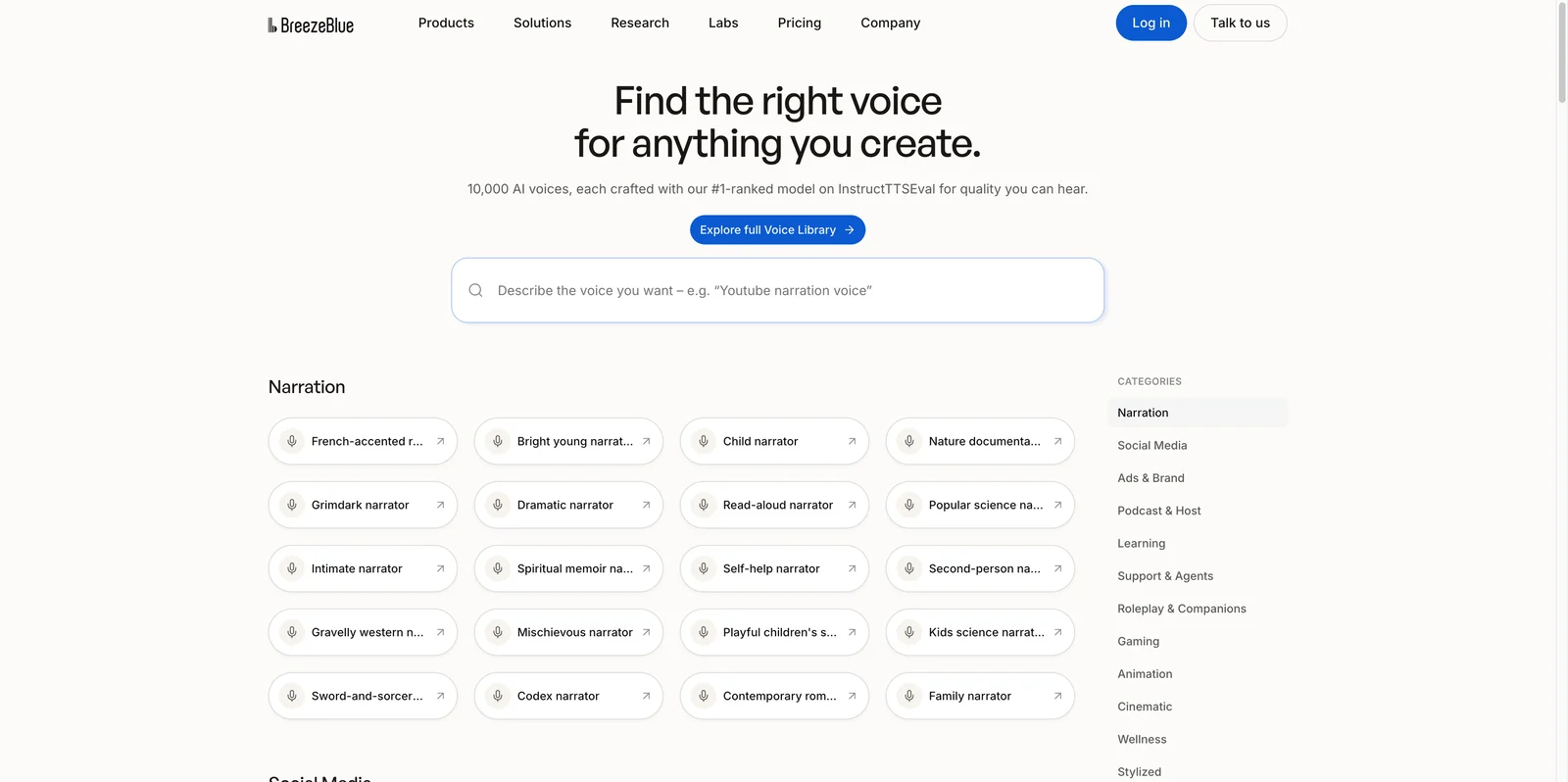
You do not need to know the name of an existing voice or reduce the idea to a fixed filter. Search for the role, sound, accent, personality, mood, or content use you have in mind, and the library will surface voices that are semantically related to that description.
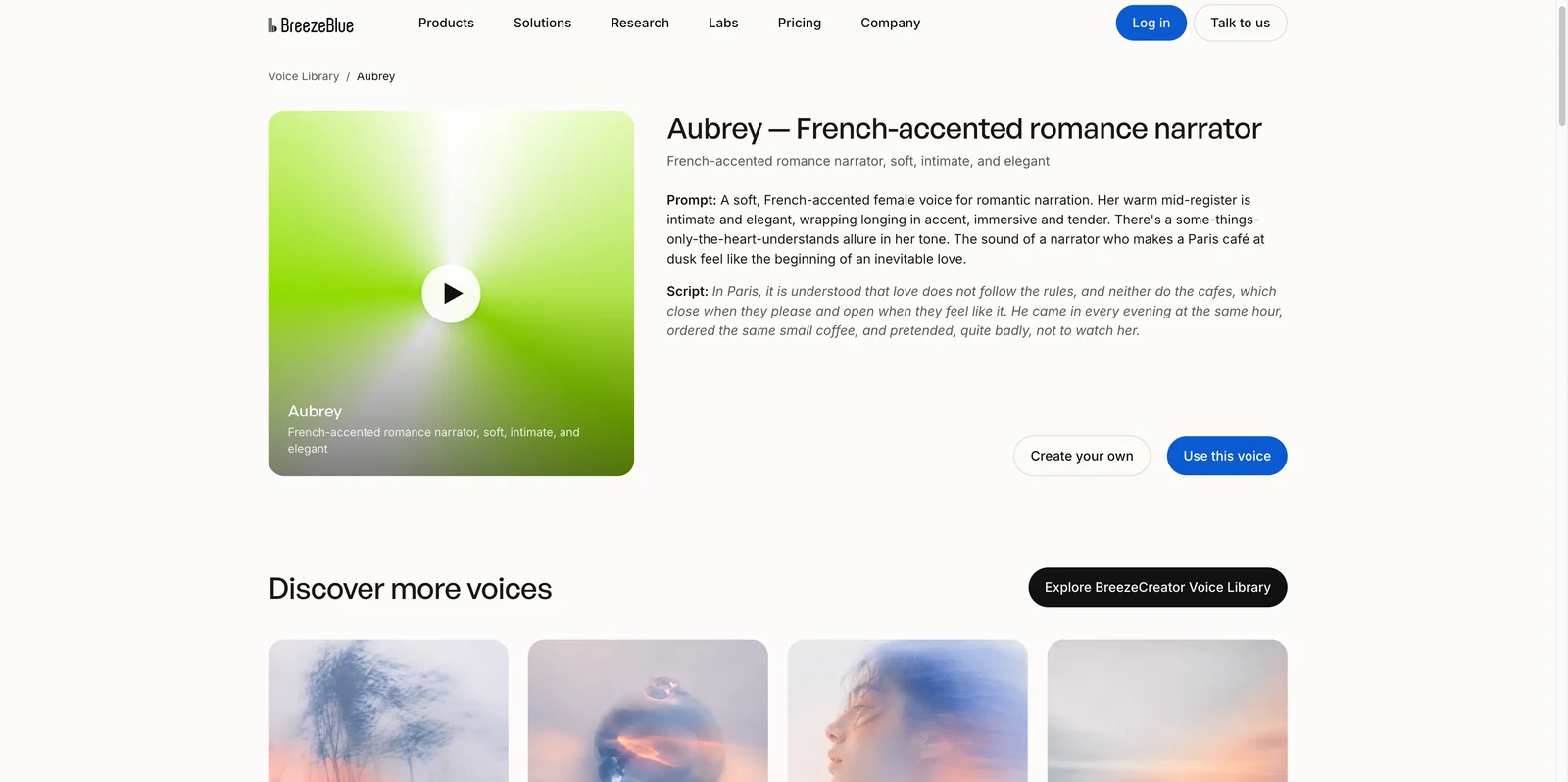
Each voice page includes a Voice Prompt, a sample script, and an audio preview to help you understand its identity and performance style.
This makes the Voice Library both a production tool and a source of creative reference. You can search for an idea, find a voice and use it immediately, or study its Prompt to understand why it works before creating something more specific.
Search for any voice you can imagine
Voice Library search is semantic. It looks for the meaning and creative intent in your query instead of requiring an exact voice name or a rigid combination of filters.
You can begin with a broad use case:
YouTube narration voiceOr use a short phrase for a more specific idea:
romantic storytellingA warm podcast hostfantasy merchant with a quick, expressive deliveryThe query does not need to be a complete Voice Prompt or match an existing voice title word for word. A content type, a role, or a short combination of audible traits can be enough. Add whichever details matter to you—age, accent, texture, energy, emotion, or speaking style—and use the results to discover nearby possibilities.
If the first query is too broad, add one meaningful detail. If it is too narrow, remove a constraint and explore the wider result set.
What you will find on a voice page
Open any voice from the library and you will see several pieces of information working together.
A clear role
The title tells you what the voice is designed to do, such as a French-accented romance narrator, specialty coffee creator, data analytics tutor, elegant brand narrator, or magnetic podcast host.
This is often more useful than choosing only by age or gender. A voice created for podcast conversation behaves differently from one created for a luxury brand film, even when their basic vocal qualities are similar.
The Voice Prompt
The Prompt describes the voice in context. It can include the speaker's role, vocal qualities, rhythm, attitude, emotional character, and the kind of content the voice should perform well.
Use it to understand what gives the voice its identity, whether its energy fits your content, and which qualities should remain consistent when you direct a new performance.
The Prompt is not something you must rewrite before using the voice. It documents the creative idea behind a voice that already exists.
A sample script and preview
The sample script puts the voice in a scene that suits it. Listen for more than overall attractiveness: notice the pace, articulation, emotional range, pauses, accent, and how the voice handles the kind of language you plan to use.
Two different actions
Choose Use this voice when the existing voice already fits your project. Choose Create your own when the role is useful but the identity needs to change—for example, a lighter accent, a younger sound, a different texture, or a less stylized delivery.
Browse by category when you want inspiration
The Voice Library also organizes voices into 12 categories for quick browsing:
| Category | Start here for |
|---|---|
| Narration | Audiobooks, documentaries, and storytelling |
| Social Media | Creator videos, reviews, and short-form content |
| Ads & Brand | Commercials, brand films, and product launches |
| Podcast & Host | Interviews, discussion shows, and radio formats |
| Learning | Courses, tutorials, and guided instruction |
| Support & Agents | Customer service, assistants, and IVR |
| Roleplay & Companions | Interactive characters and conversations |
| Gaming | NPCs, tutorials, quests, and bosses |
| Animation | Animated characters, mascots, and children's content |
| Cinematic | Trailers, dramatic narration, and monologues |
| Wellness | Meditation, sleep, ASMR, and breathwork |
| Stylized | Distinctive vocal styles and regional characters |
Categories are discovery paths, not search limits. Browse one for inspiration or use semantic search to describe the voice directly.
How to read a Voice Prompt in the library
Use Aubrey — French-accented romance narrator as an example. Her Voice Prompt describes the role, accent, vocal quality, mood, and intended content. The sample script and preview let you hear those choices together.
You can use Aubrey directly without copying or rewriting her Prompt.
Use a library voice to generate your content
Once semantic search or category browsing leads you to a voice that fits, open its page and select Use this voice. Then:
Add the script you want the voice to perform.
Add Voice Direction for the tone, emotion, pacing, or delivery needed in this particular scene.
Generate the audio and listen to how the saved voice handles your content.
Refine the script or direction while keeping the same voice.
Download the result for your project.
The library voice defines who is speaking. Your script defines what they say. Voice Direction defines how they perform this particular passage.
Use the Prompt as a reference when creating a new voice
Sometimes a library voice is close to what you want without being the final answer. Its Prompt can help you identify what works:
The role fits, but the accent should be lighter.
The vocal character fits, but the delivery should be younger or more energetic.
The pacing works, but the texture should be softer.
The category is right, but the character needs a new identity.
Keep the useful dimensions, change the ones that matter, and create a distinct voice for your project. The goal is not to reproduce a named library voice exactly; it is to use the Prompt to make your own intent clearer.
The BreezeBlue Voice Library is therefore not only a gallery of examples. It is a collection of voices you can put directly into production, with enough creative context to understand what each voice was built to do.