Zane
Editing tutorial creator, quick, clear, and cheat-code generous
Zane — Editing tutorial creator
Editing tutorial creator, quick, clear, and cheat-code generous
Prompt: A quick, upbeat male voice that teaches video editing at the speed of a caffeinated tutorial. His crisp mid-tenor is fast and clear, rattling through shortcuts and tricks with contagious efficiency, dropping a triumphant 'boom' at each satisfying cut. There's a helpful, slightly hyper energy—he wants you to level up and he wants it now. The sound of a creator who edits his own videos and can't wait to hand you the cheat codes.
Script: Okay, this one trick will save you literally hours. Stop cutting manually. Drop your clip, hit this shortcut, and it auto cuts to the beat. Watch. Boom, boom, boom, synced. Add a little zoom on the punchline, a whip transition here, and suddenly your edit looks pro. Free tools? Five minutes.
Discover more voices
Explore BreezeCreator Voice Library











Create with Editing Tutorial Creator
Bring your words to life with Editing Tutorial Creator. Add your script, shape the delivery with enhanced instructions, and create natural, expressive speech in seconds.
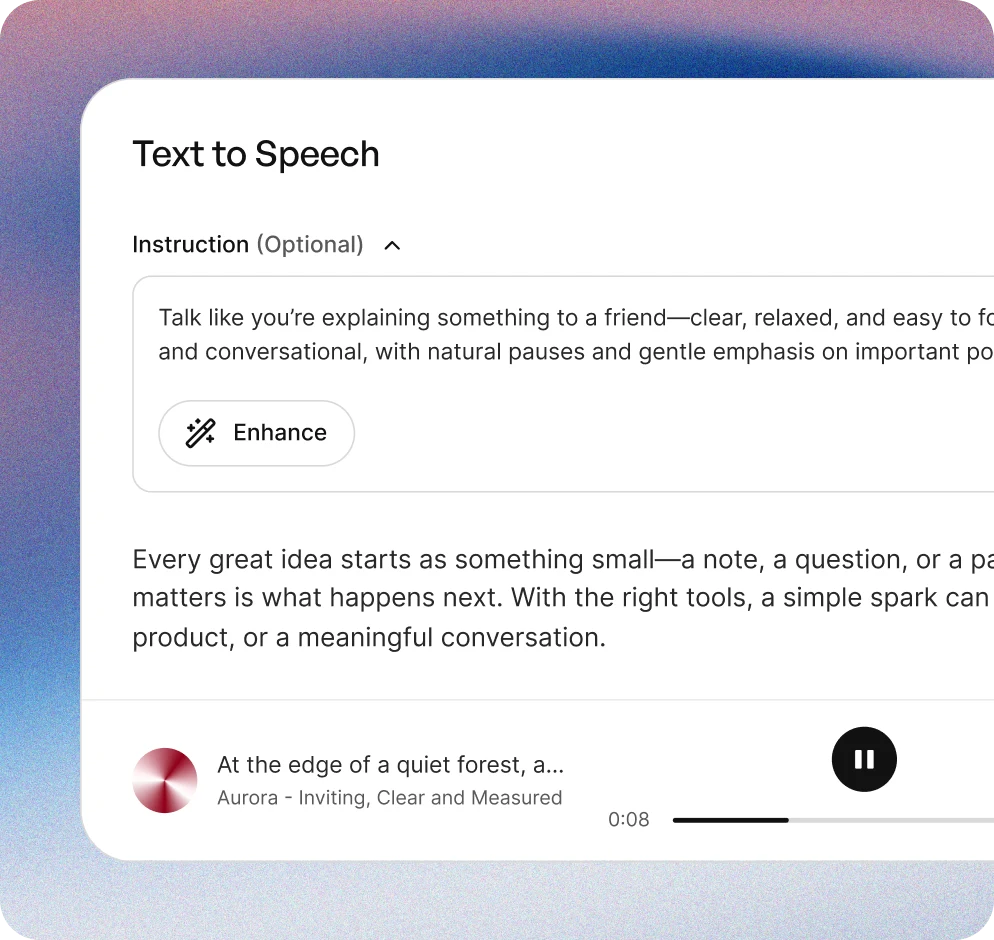
Add your script
Type or paste your text into Creator. From short clips to longer stories, start with anything you want to bring to life.
Direct the performance
Describe the tone, emotion, pacing, and delivery you want. Use Enhance to turn your direction into a richer, more detailed instruction for better results.
Generate your audio
Turn your script into natural, expressive speech in seconds, then download the audio and use it in your content.
More than AI voices
Explore a global voice library built for real creative work—with expressive voices, multilingual support, performance control, and commercial-ready options.
10,000+ voices
Find the right voice for any story, style, or creative project.
50+ languages
Create for audiences around the world with voices across more than 50 languages.
Steerable performance
Direct tone, emotion, pacing, and delivery with natural-language instructions.
Commercial rights
Use generated audio in commercial projects according to your plan and our terms.
Similar to Editing tutorial creator











Frequently asked questions
What does Zane sound like?
Zane is a quick, upbeat mid‑tenor with crisp articulation, slightly hyper energy, and punchy rhythmic pacing designed for rapid tutorials.
What are the best uses for Zane?
Zane fits fast‑paced editing tutorials, social media how‑tos, creator tips, and any content that benefits from energetic, efficient instruction.
How does Zane deliver lines and style?
He rattles through steps with contagious efficiency, emphasizing shortcuts and endings with triumphant exclamations to keep momentum high.
What types of content suit Zane’s performance?
Short form editing walkthroughs, quick tip videos, platform‑specific tutorials, and energetic creator coaching segments.
Can I evaluate Zane before using it?
A preview is available to sample his brisk pacing, clear mid‑tenor texture, and the lively cues he uses to punctuate tutorial highlights.